What Is a Stage Plot? A Beginner's Guide for Musicians
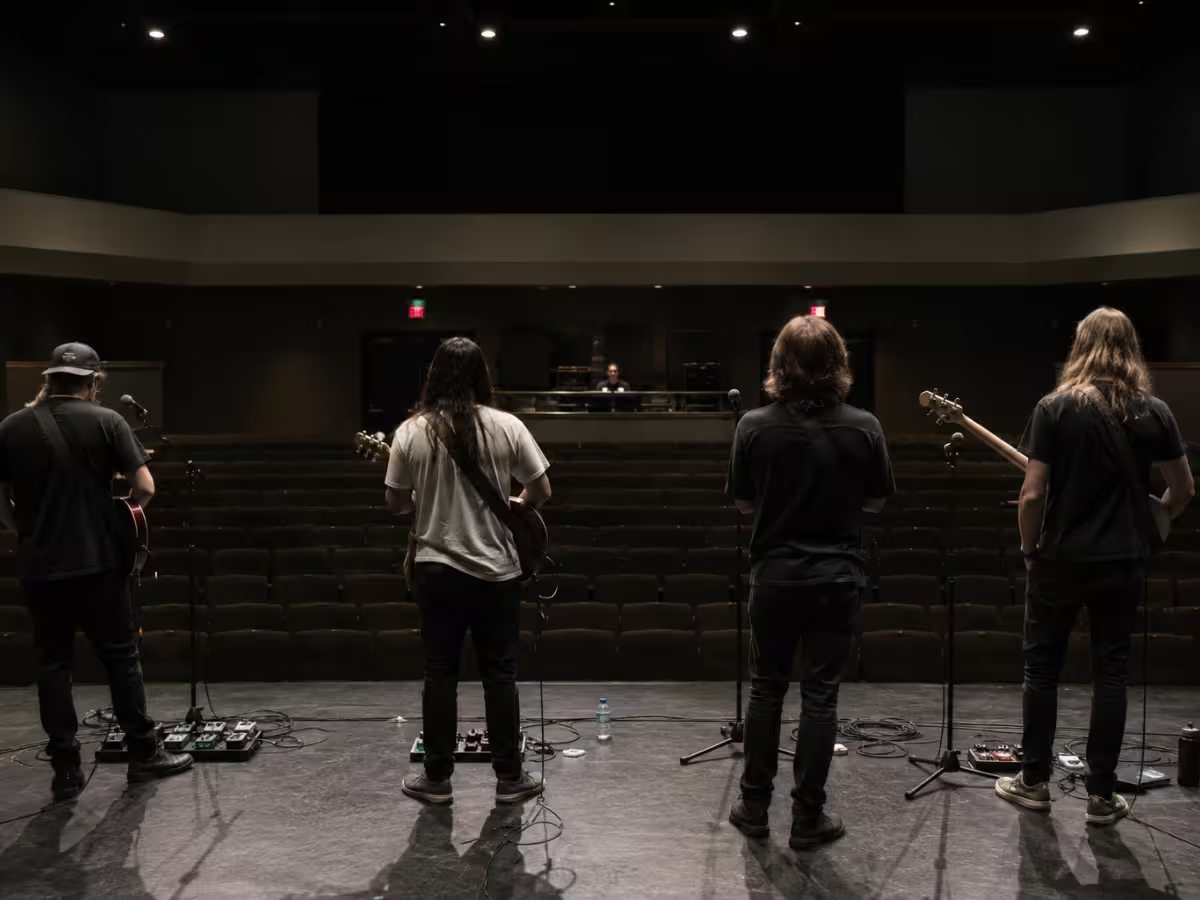

For any musicians who have never done this before, this article outlines exactly what to include, what to leave off, and how to make one in about five minutes. You can build one for free, in under five minute, using this free stage plot generator.
In a broader sense, you should be treating the stage plot as the primary communcation bridge between you (the artist) and the venue's technical staff. A well-prepared stage plot minimizes on-site troubleshooting, reduces soundcheck friction, and signals to the house crew that the band is professional and prepared.
What a stage plot looks like
A typical stage plot is basically a bird’s-eye view of the stage with names, instruments, and gear laid out in a simple, readable way. The point is not to look fancy. The point is to make a sound engineer’s life easier in about ten seconds.
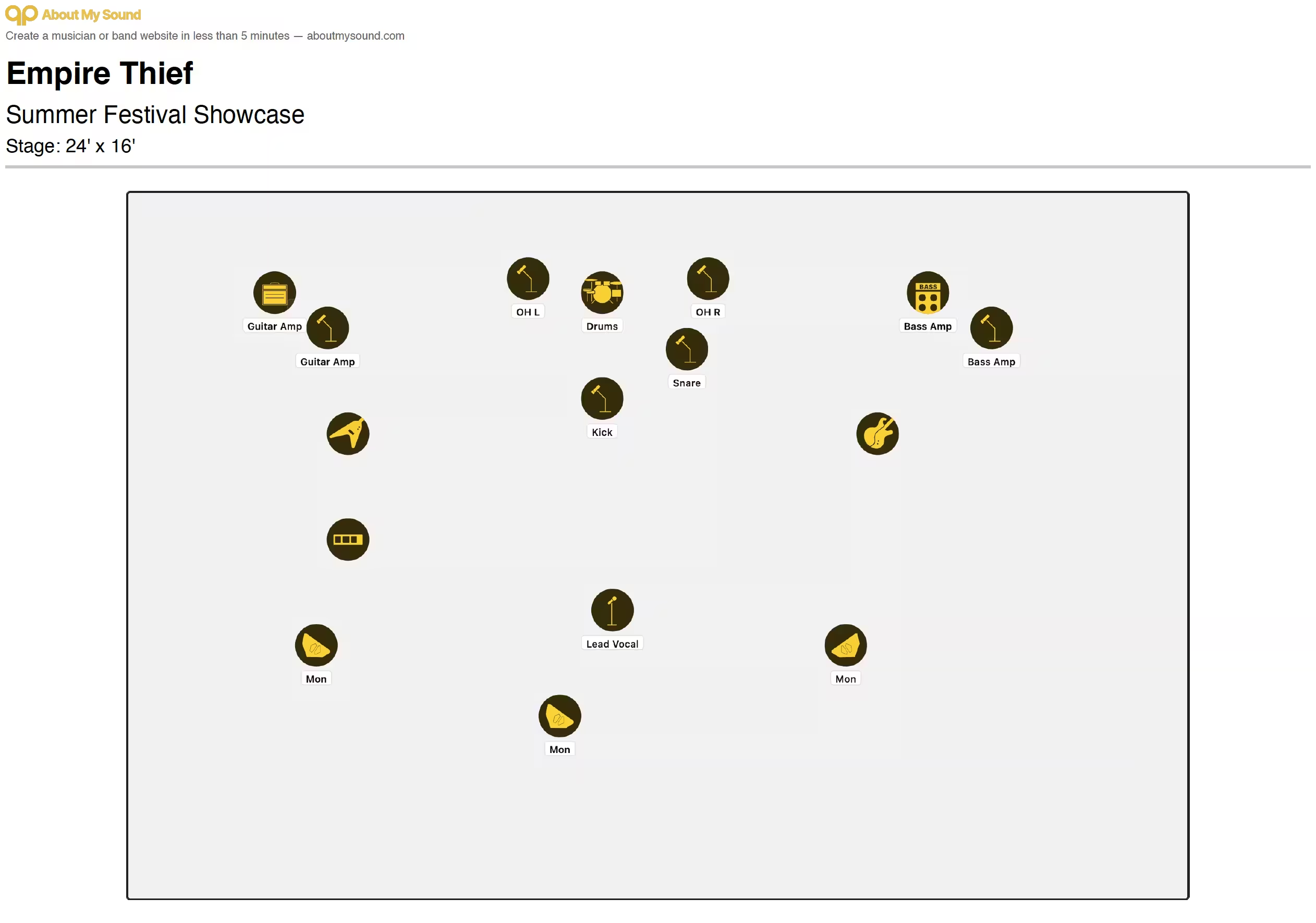
This clean visual arrangement provides instant context for the venue crew, allowing them to pre-wire the stage before the band even unloads their gear.
What's on a stage plot
A stage plot is a map of your musical equipment on a stage, designed to be read in digital or print format. Live audio technicians expect performing acts to clearly include several key components on their plan:
- Stage dimensions: Approximate width and depth requirements to prevent crowded setups.
- Instruments and amps: Labeled boxes for guitar cabs, bass rigs, keyboards, or DJ setups.
- Microphones: Specified vocal, instrument, or drum mic placements.
- DI boxes: Labeled drops for synths, acoustic guitars, or playback laptops.
- Monitor wedges: Floor wedges, clearly labeled by individual mix numbers.
- AC power drops: Power outlets marked to avoid running messy cables across walkways.
- Input list: A clean, numbered channel list mapping stage sources directly to console inputs.
- Technical notes: Legible, brief instructions, such as playback track routing.
Most plots include the artist or band name, the performance date, and contact details.
Stage plot vs input list vs tech rider
Understanding the distinction in stage plot vs tech rider and stage plot vs input list is essential for any performing act.
A stage plot is a visual representation of the band setup on stage, showing the spatial orientation of musicians and their gear.
An input list is the numbered list of channels and sources: kick, snare, vocal, bass DI, keys DI, and so on. In other words, the stage plot is how those things are laid out, and the input list is how they’re patched.
A tech rider is text-based, almost like a grocery list of what's needed for the performance. Essentially, the tech rider details the things needed for the performance, such as backline equipment, dietary preferences, and billing policies.
When and how to send a stage plot
Send your stage plot 1–2 weeks before the gig, ideally with your tech rider and input list if required. You'll usually send it to the production manager or whoever your point of contact is at the venue.
Always send it as a PDF. Do not send Word docs or PNGs. Why? Things can get messy and jumbled when printed and a PDF is the best way to ensure a clean print. A solid file name helps too; for example, BandName_StagePlot_VenueName_2026-06-15.pdf.
Bring printed copies. I usually print out a few copies of our set list and stage plot before any performance. Emails disappear, phones die, and basement Wi-Fi is not a thing you can trust.
How to make a stage plot
Option 1: The easiest option is a free online tool like this free stage plot maker. Drag, drop, download, done.
Option 2: The second option is a drawing app like Canva, Figma, PowerPoint, or even Google Slides. That works fine, but it takes a bit more fiddling to keep everything neat and readable.
Option 3: The third option is hand-drawn. That is totally valid, especially for small gigs. Just make sure it is clear, not crumpled, and photographed or scanned cleanly before you send it.
Common stage plot mistakes
Making it too complicated
A stage plot can be as simple as a paper-and-pencil drawing. It only needs to communicate the setup without overwhelming the sound engineer.
Leaving out the input list
The stage plot is a communicative piece of information between artist and sound engineer, but it works much better when the input list and channels are there too. Without them, people have to guess how the stage layout connects to the board.
Using tiny or overly graphic visuals
The stage plot should be printable in black and white. That is why overly graphic plots are not ideal, a box that says “Drums” is easier to read on paper than a 3D drummer illustration.
Sending it too late
Do not wait until the last minute to design and send the stage plot. Give the venue time to organize gear, because they may need to rent equipment for you.