Meta Ads for Musicians in 2026: 7 Ways to Promote Your Music Without Wasting Money
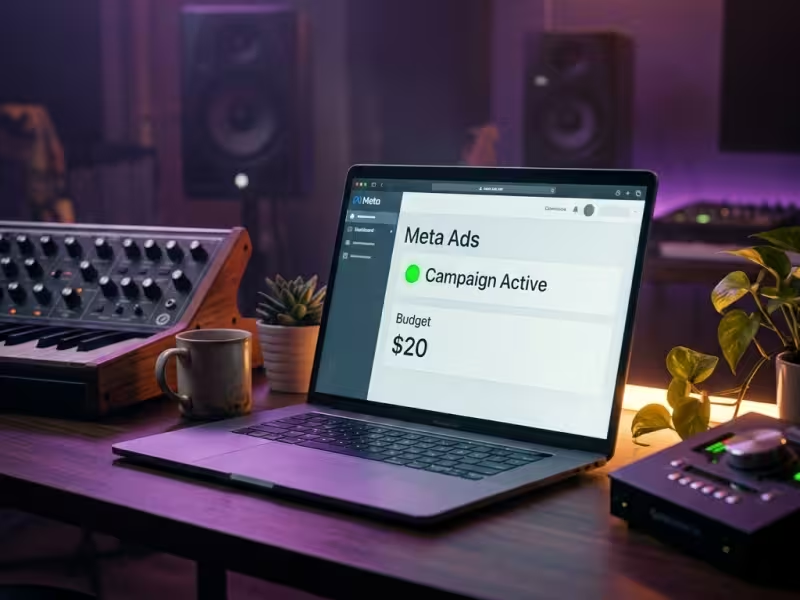

Meta Ads — the advertising platform behind both Facebook and Instagram — remain one of the most effective tools for independent musicians looking to get their music in front of new listeners, fill rooms, and build a real fanbase. But the platform has changed a lot recently, and the advice from even a year ago can actually hurt your results today.
Here are 7 practical, budget-friendly ways to use Meta Ads as an indie artist in 2026 — whether you've never run an ad before or you're looking to level up.
1. Start With $20, Not $200
Start your first Meta ad campaign with $20–$50, not $200. Your first ad should be a short experiment — run it for 3–5 days with a single clear goal — not a major investment.
You don't need to spend big to learn what works. Set aside $20–$50, pick a clear goal (more streams on your new single, more RSVPs to your next show), and run a short campaign for 3–5 days. Treat it like a test. Watch what happens. Learn from the data. Then decide if it's worth scaling up.
Most indie artists overthink the budget and never get started. The ones who actually grow are the ones who hit "publish" on a small campaign, see what the numbers tell them, and adjust from there.
2. Let Meta's AI Do the Targeting (Seriously)
If you've read older guides about Facebook Ads, you probably saw advice about stacking niche interest groups — targeting fans of a specific artist, a particular genre, and a local venue all at once. That used to work.
In 2026, it doesn't. Meta has retired many of those detailed interest options and consolidated niche categories into broader groups. Their AI system, called Advantage+, now analyzes your actual ad content — the video, the audio, the text — and finds the right audience for you. If your track has an indie-folk sound, the algorithm will find indie-folk listeners faster than you could by manually selecting interests.
What to do instead: Keep your targeting broad. Set your location (important if you're promoting a local show), a general age range, and let the creative do the work. You can still use Custom Audiences (more on that below), but for most campaigns, broad targeting with strong creative will outperform a hyper-specific audience you built by hand.
3. Your Creative Is the Targeting
Here's the big shift in 2026: the ad you create matters more than the settings you choose. Meta's algorithm reads your visuals, listens to your audio, and analyzes your text to decide who to show it to. That means your content needs to be clear, authentic, and scroll-stopping.
The good news? Polished, high-budget music videos often perform worse than raw, real content. What works right now:
- A short clip of you in the studio, reacting to a mix or playing a new riff. Keep it under 30 seconds.
- A "lyric reveal" video with simple text overlays highlighting the most relatable part of your song.
- A behind-the-scenes clip from a live show, rehearsal, or writing session. Authenticity beats production value every time.
Think about it from the listener's perspective: when you're scrolling Instagram, what makes you stop? It's usually something that feels real — not a commercial. Design your ad the same way.
Pro Tip: Test 3–4 different creatives with the same budget. Meta will automatically push more spend toward the one that performs best. Don't just change the caption — use genuinely different visuals and formats (a static image, a Reel-style video, a carousel of show photos).
4. Use a Landing Page, Not a Direct Spotify Link
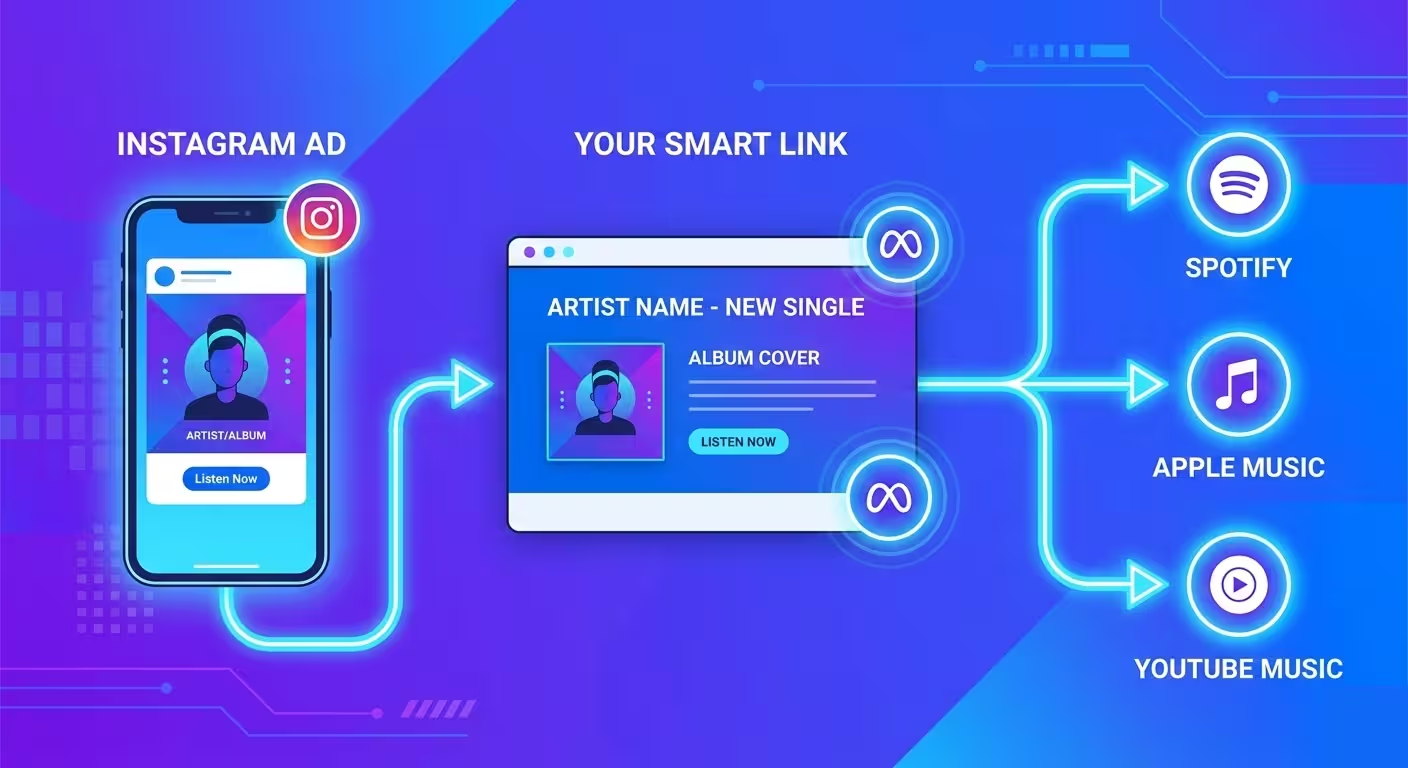
This is a mistake nearly every artist makes on their first campaign: linking the ad straight to Spotify or Apple Music. The problem? The moment someone leaves Instagram and opens Spotify, Meta loses track of them entirely. You have no idea if they actually listened, and Meta can't learn from that data to find more people like them.
Instead, use a landing page tool like Hypeddit, ToneDen, or Feature.fm as a bridge between your ad and the streaming platforms. These pages let the listener choose their preferred platform — and more importantly, they fire a tracking event (via Meta's pixel) that tells the algorithm "this person converted."
That data is gold. It's what allows Meta to build a "lookalike" audience of similar listeners for your next campaign, effectively making every future ad smarter and cheaper.
Quick setup:
- Create a free smart link on a platform like Hypeddit.
- Install your Meta Pixel on the landing page (most tools have a simple field for this).
- In Ads Manager, set your campaign objective to "Engagement" and your conversion event to the pixel event on that landing page.
It takes an extra 10 minutes to set up, but it makes a massive difference in your results over time.
5. Retarget People Who Already Know You
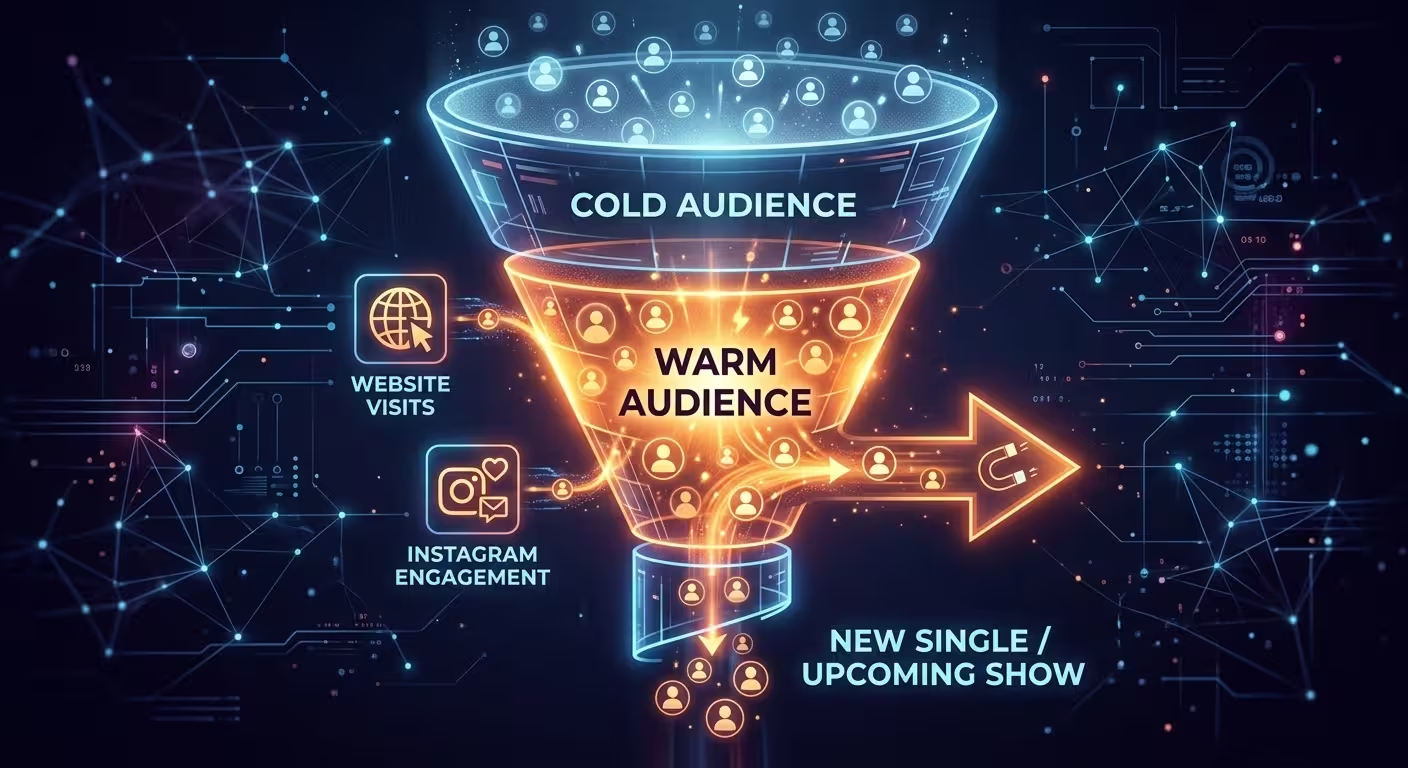
One of the most cost-effective ad strategies isn't about reaching strangers at all — it's about re-engaging people who've already shown interest in you.
Meta lets you create Custom Audiences based on:
- People who visited your website (if you have the Meta Pixel installed)
- People who engaged with your Instagram or Facebook page (liked a post, watched a video, visited your profile)
- Your email list (upload a .csv and Meta will match those emails to user accounts)
Think about how powerful that is. Someone visited your website last month, checked out your music, but didn't follow you or save a song. Now you can serve them an ad for your new single or an upcoming show. They already know your name — they just need a nudge.
These "warm" audiences almost always convert at a higher rate and lower cost than cold audiences. Even $5–$10 behind a retargeting ad can make a real impact.
Pro Tip: If you're using About My Sound for your artist website, you can install the Meta Pixel through a simple integration, making it easy to build a retargeting audience from every visitor who checks out your music, bio, and show dates.
6. Promote What's Already Working Organically
Here's a hard truth that every artist needs to hear: ads are gasoline, not the spark. If a song isn't getting any love organically — no saves, no shares, no playlist adds — throwing money behind it usually won't change that. But if you have a post or a Reel that's already getting good engagement? That's your signal to amplify it.
Look at your Instagram or Facebook insights. Find the post with the best engagement rate — the one people are commenting on, sharing, or saving — and boost it. You're not guessing whether the content resonates; you already know it does. You're just paying to put it in front of more people.
This works especially well for:
- Show announcements in your city (target your local area)
- A Reel or video clip that's outperforming your other content
- A new release announcement that's already getting organic traction
Don't boost everything. Be selective. Put your money behind the content that's already proving itself, and you'll get much better results.
7. Know Which Numbers Actually Matter
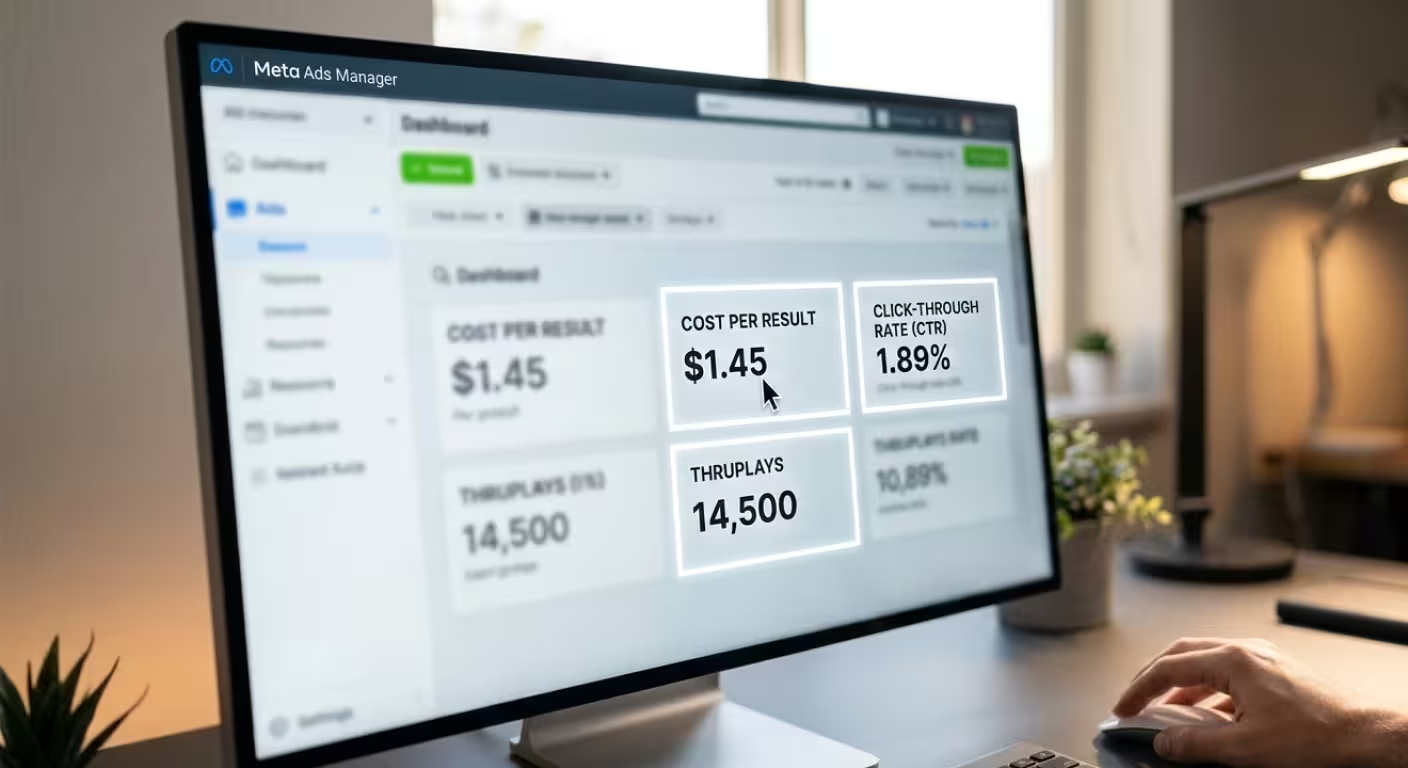
Once your ad is live, it's tempting to check every metric in Ads Manager obsessively. Don't. Most of those numbers are noise. For musicians running small-budget campaigns, there are really only four metrics you need to watch:
- Cost per result: This is the big one. Depending on your objective, a "result" might be a link click, a landing page view, or a conversion event (like someone clicking through to Spotify from your smart link). This number tells you exactly how much each meaningful action is costing you. If it's climbing, your creative is fatiguing — time to swap in something new.
- Click-through rate (CTR): The percentage of people who saw your ad and actually clicked. For music campaigns, anything above 1% is solid. Below that, your creative or caption probably isn't resonating — experiment with a different hook or visual.
- ThruPlays (for video ads): This counts the number of people who watched your video for at least 15 seconds (or to the end if it's shorter). It's a much better signal of genuine interest than simple "views," which can count after just 3 seconds.
- Amount spent: Obvious, but easy to lose track of. Set a daily budget cap so you never wake up to an unpleasant surprise.
You don't need to check these every hour. Give your campaign at least 2–3 days to gather enough data before making changes. Meta's algorithm needs time to learn who responds to your ad, and making constant tweaks too early can actually reset that learning process and hurt your results.
A note for artists targeting international audiences: Starting in 2026, Meta is rolling out options for European users to limit personalized advertising in response to EU regulatory requirements. If you're promoting to fans in the UK, Germany, or other European countries, this may affect your targeting precision and reporting. It doesn't mean ads won't work in those regions — just keep an eye on your cost-per-result in EU-targeted campaigns and be prepared to adjust your expectations or budget accordingly.
The Bottom Line
Meta Ads aren't a magic button that turns $20 into a stadium tour. But for indie musicians who approach them with a clear goal, a small budget, and a willingness to experiment, they're one of the most accessible and effective promotional tools available today.
The platform has gotten smarter — and in many ways, that's actually good news for independent artists. You don't need a marketing degree or a big ad budget to see real results. You just need authentic content, a clear call to action, the patience to test and learn, and a basic understanding of which numbers to watch.
Start small. Let the data guide you. And most importantly — make sure your ad leads somewhere that actually represents you.